MemeHub guide
How to Choose a Meme Template
A template is a visual argument: it tells people how to interpret your words. The right one makes the punchline feel obvious; the wrong one makes even a good idea feel confusing.
By Fardeen · Updated 2026-08-23
Match the image to the emotion
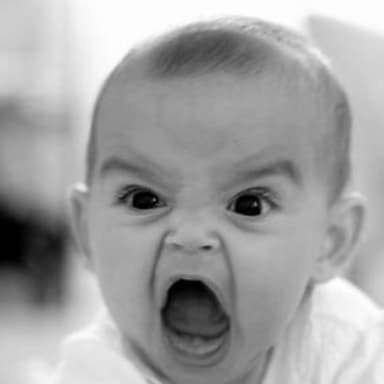
A confused reaction, an overconfident pose, and a disappointed face create different expectations before anyone reads the caption. Pick the emotional response that makes your point stronger.
Separate the feeling from the event that caused it. “Embarrassed relief after a close call” needs a different image from “anger after being ignored,” even though both may be described as reactions. Searching for the more precise feeling usually produces a better starting point than searching for “funny” alone.
Match the structure to the sentence
Two-panel images are useful for before-and-after or choice jokes. A single expressive image works for a quick reaction. Multi-panel templates are better when the audience needs to follow a progression.
Count the decisions your audience must make while reading. If they need to compare two ideas, use a side-by-side structure. If they need to understand a cause followed by a consequence, use a sequence. If there is only one emotional response, avoid adding panels that make the joke feel like a presentation.
Check the available caption space
Look at where text can go before you commit. A short caption can work on almost any image, while a longer setup needs a clear panel or open area that will not cover the subject.
Templates with baked-in text or detailed backgrounds need especially short captions. Check the crop, the contrast, and the distance between the text and the face or object that makes the image recognizable. The best caption area is not simply the largest one; it is the area that keeps the visual argument intact.
- Prefer large, uncluttered caption areas.
- Do not cover the expression that carries the joke.
- Use fewer words when the image is already visually busy.
Choose familiarity carefully
A famous format can communicate quickly, but a less common image may be more distinctive for a specific community. Use the audience—not popularity alone—to decide.
If the audience needs background knowledge to understand the image, add context in the caption or select a more recognizable format. Familiarity should reduce the work of understanding the joke, not replace the joke itself. The format should support the audience, not demand that they decode it first.
Before exporting, show the draft to one person who was not part of the original conversation. If they can identify the situation and the intended reaction without a long explanation, the format is doing its job. If they ask what the image means, either add one precise detail or choose a more familiar template.